Safely
Designing a Wearable Safety Experience for Social Events
A watch-based safety app designed to help friends track each other’s location, check in during parties, and quickly contact someone when help is needed.
View Process2025
Watch App Design
UX/UI Designer
Safety, Location, Events
The Problem
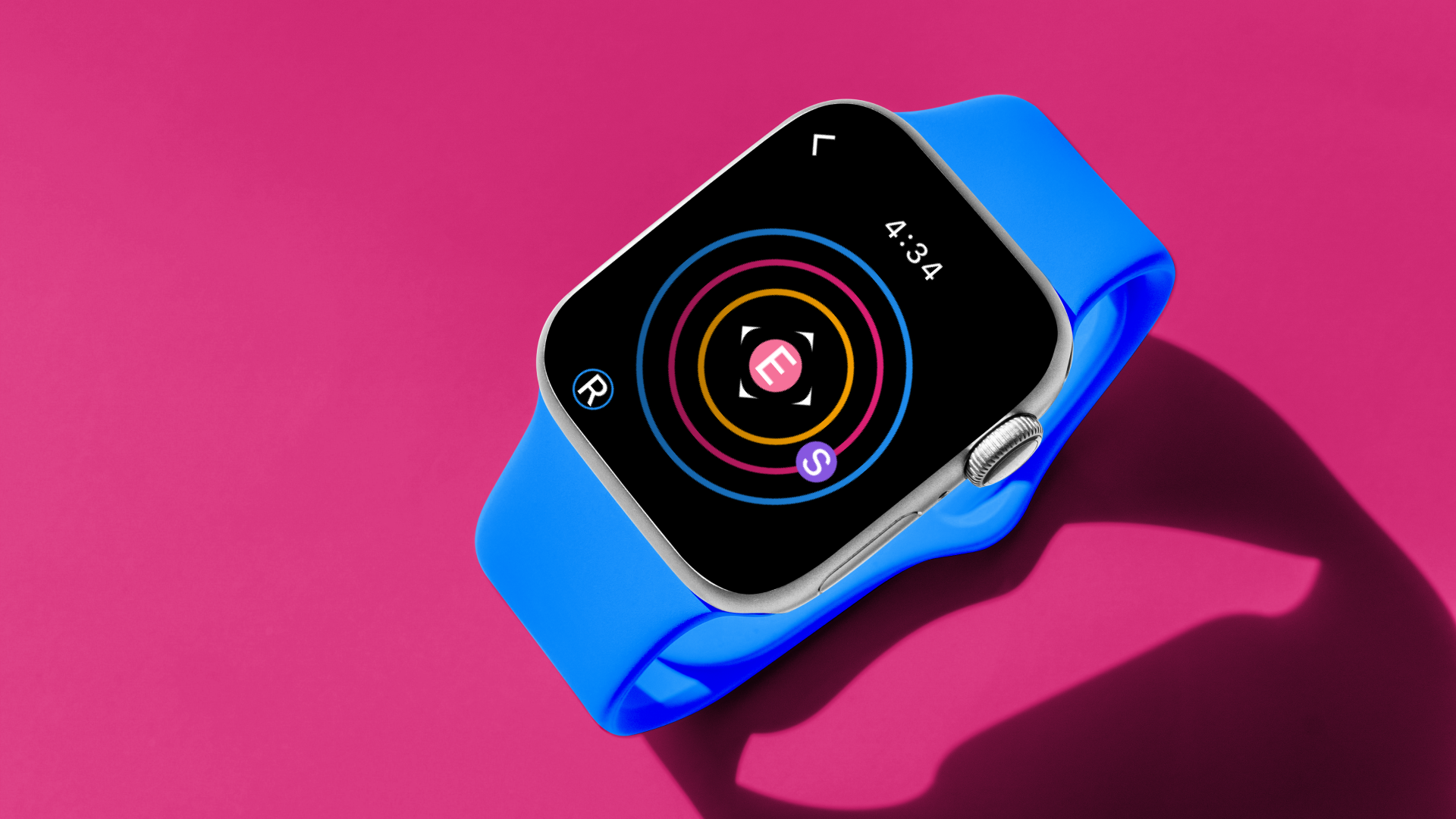
During parties and social events, friends may lose track of each other, making it harder to know when someone needs help or wants to leave.
The Solution
A watch app that keeps safety quick, visible, and easy to access.
Safely allows users to create events, invite friends, view friend distance, receive group safe alerts, and send quick suggested messages directly from a wearable interface.
Location Awareness
Users can quickly see how far friends are from the party or event location.
Fast Check-Ins
Suggested messages make it easier to contact a friend without typing.
Emergency Support
Group safe alerts notify users when someone may need help.
Process
From User Flow to Final Watch Interface
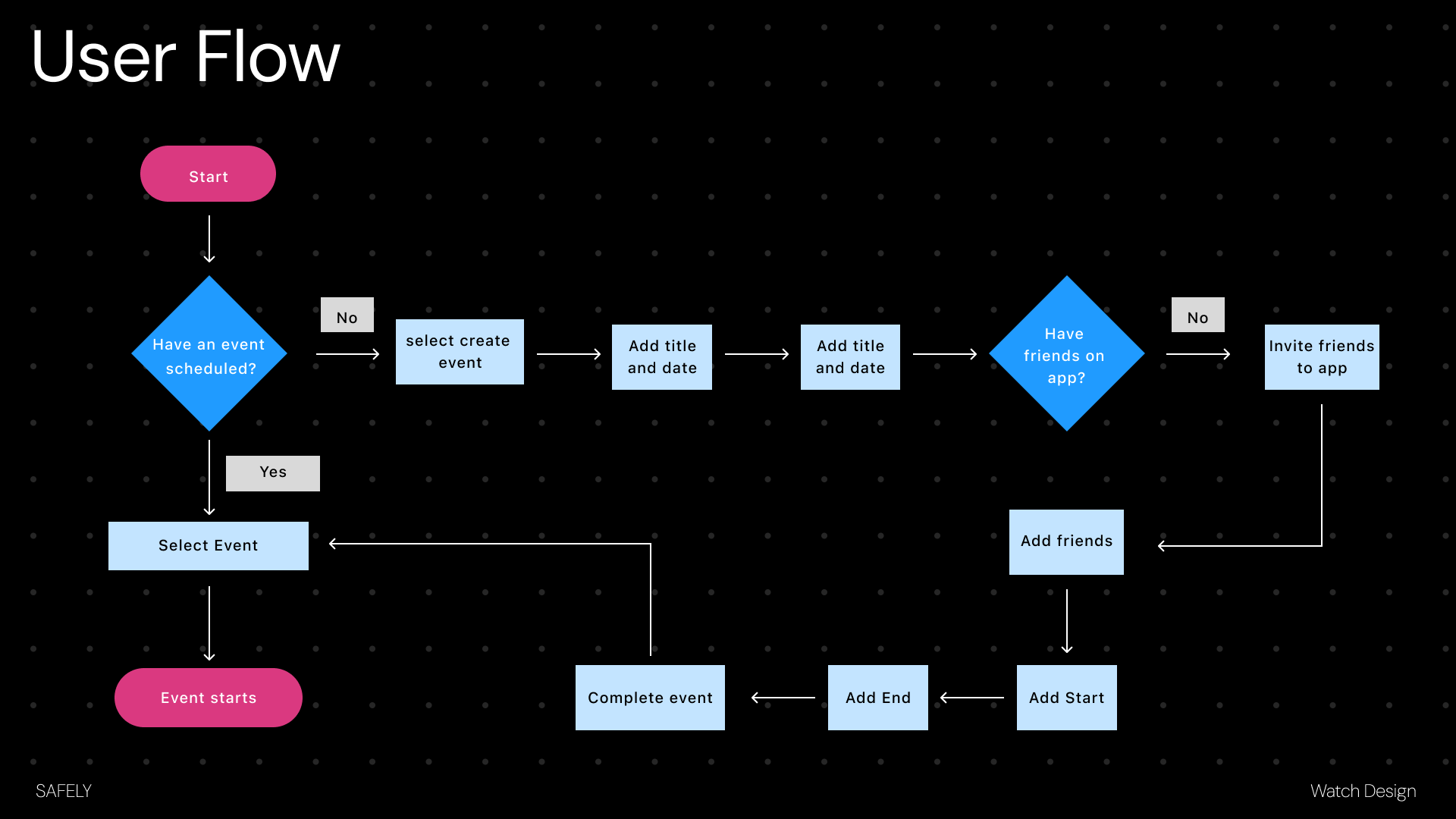
The project began by mapping the user’s path through event creation, friend invites, location tracking, and safety alerts.
01
User Flow
I mapped the main interaction path: creating or selecting an event, adding friends, setting start and end times, and completing the event.
Text summary
The user flow moves from opening Safely, creating or selecting an event, adding friends, setting the event time, starting location tracking, and ending the event when finished.
02
Wireframes
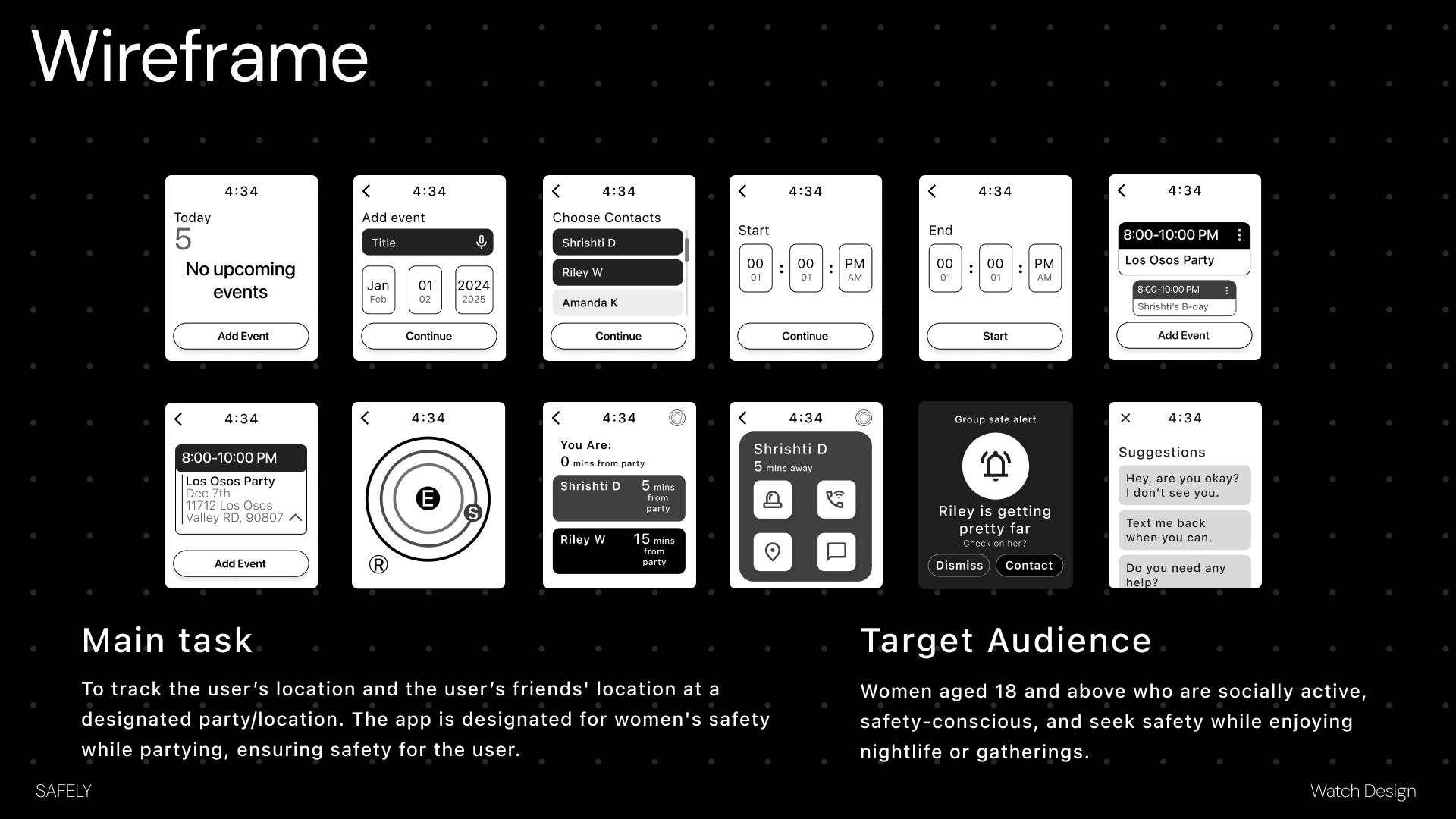
Early wireframes focused on the main task: tracking a user’s location and their friends’ locations at a designated party or event.
Text summary
The wireframes focus on the main task: showing a user’s location and friends’ locations at a party or event, while keeping the interface small enough for a watch screen.
03
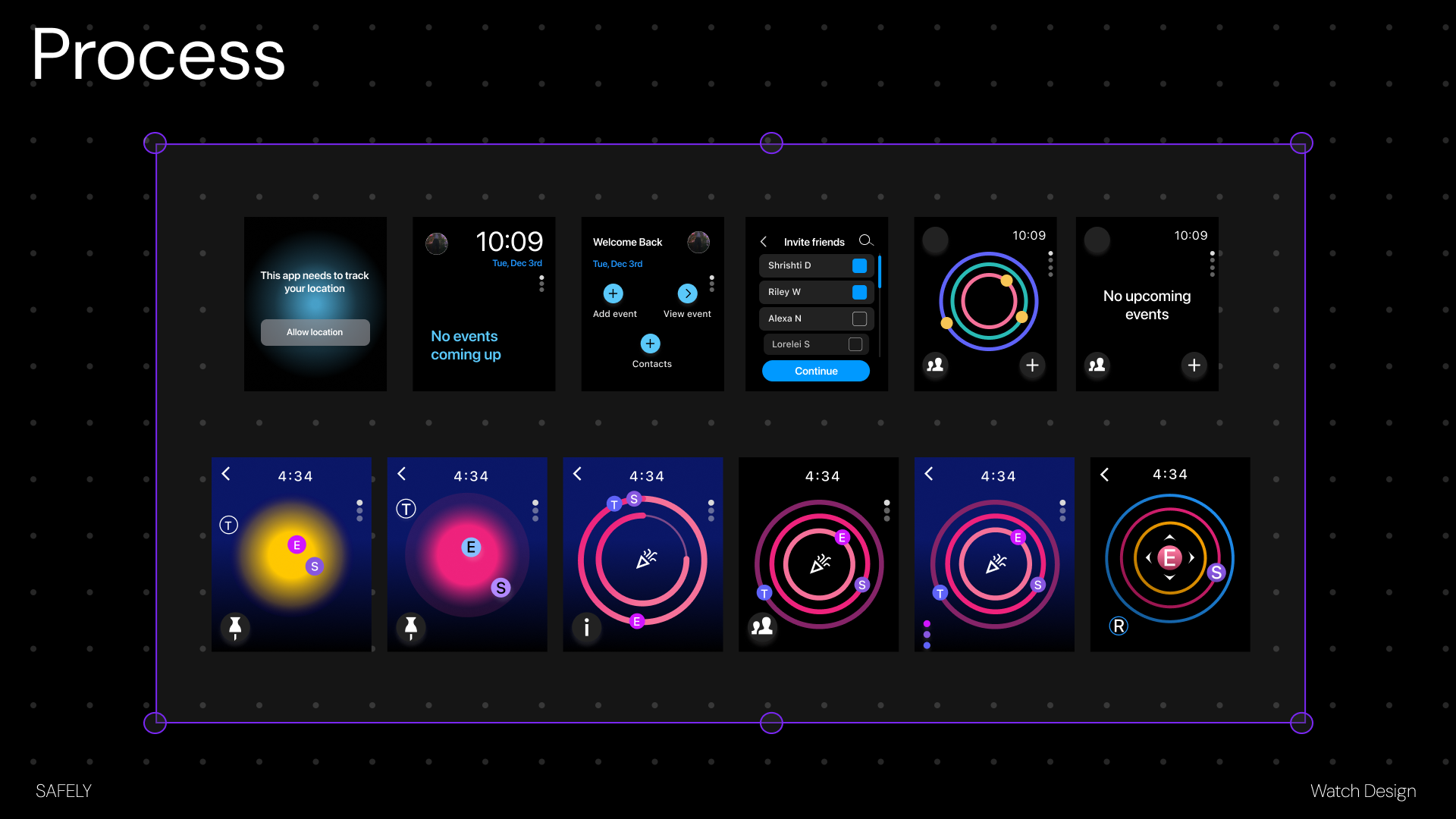
Interface Exploration
I explored darker visual styles, bright safety colors, contact selection, location rings, and event states to make the watch interface easy to scan.
04
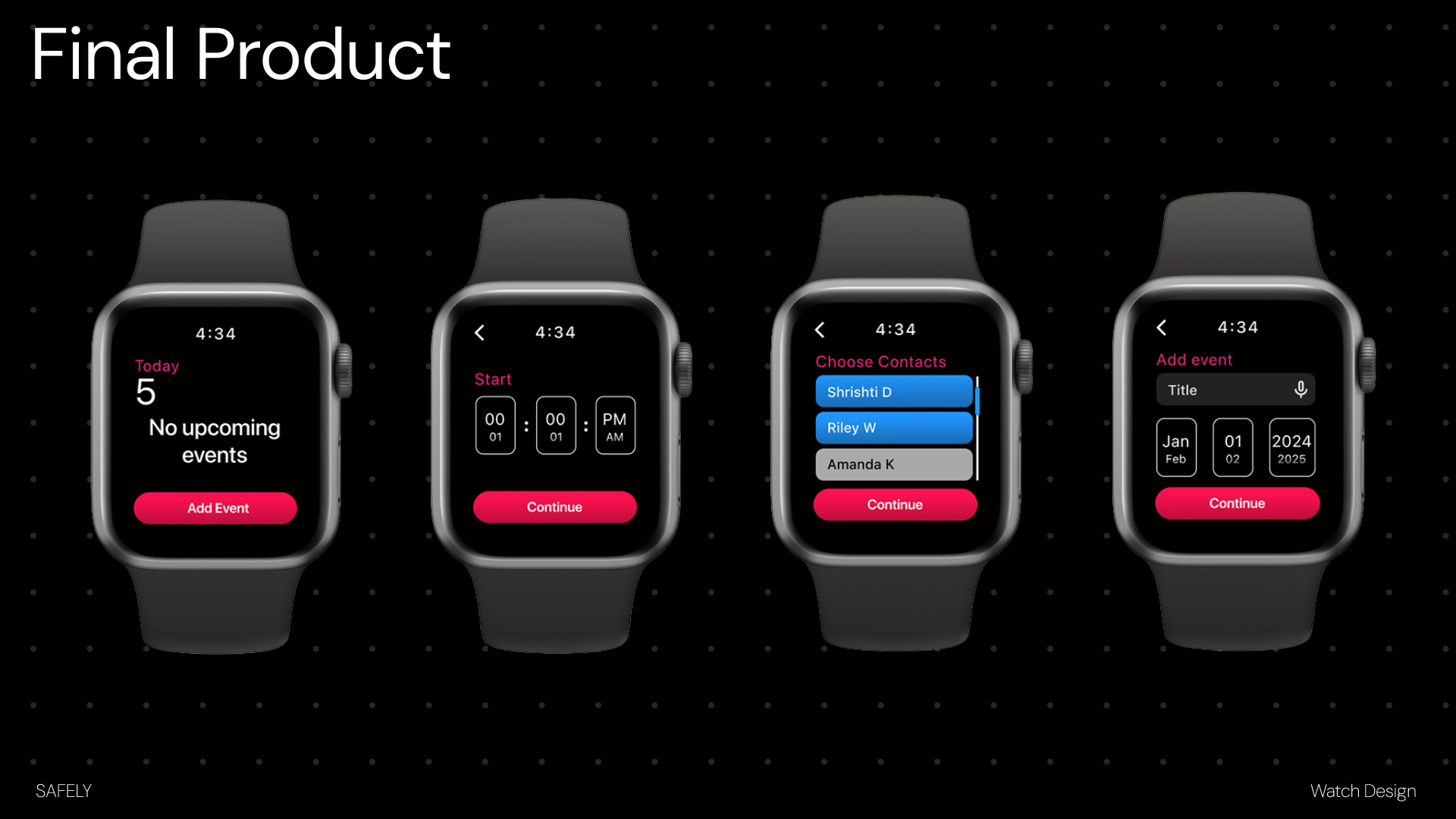
Event Creation Flow
The final event flow lets users add an event, choose contacts, set a start and end time, and begin location tracking.
05
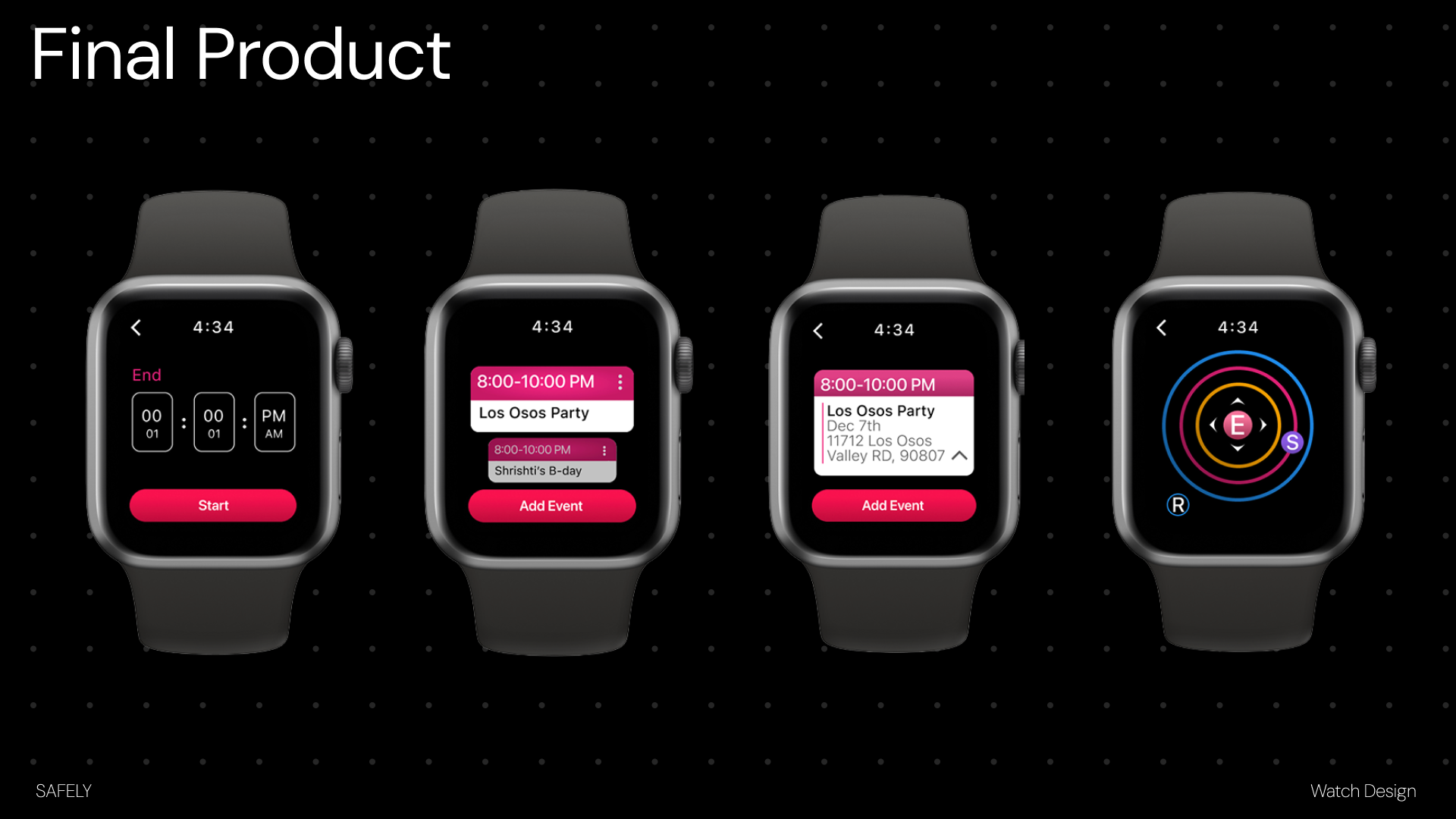
Tracking and Event View
The location screen uses colorful rings and initials to show where friends are in relation to the event location.
06
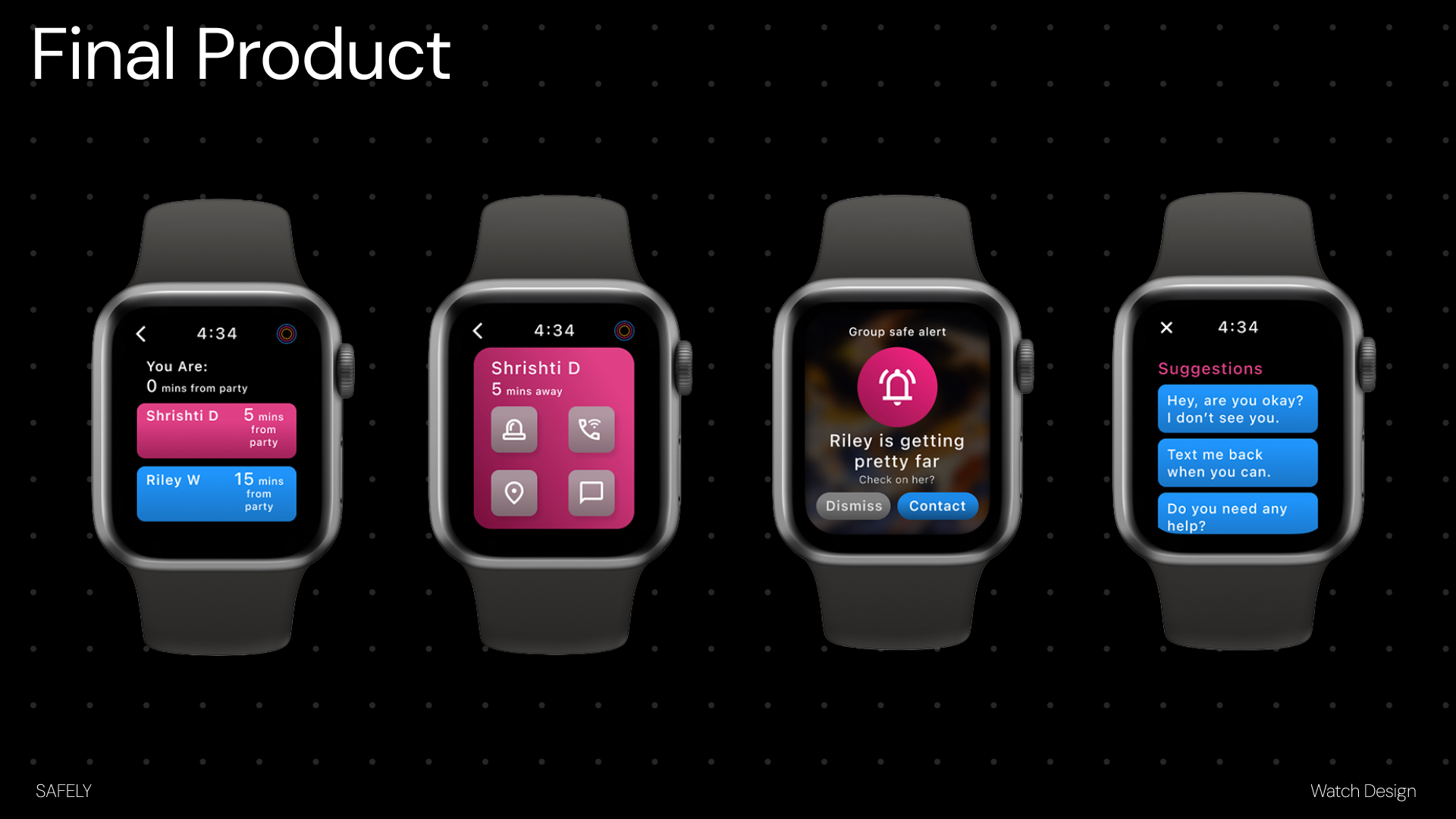
Safety Alerts and Messaging
The final safety flow includes friend status cards, individual contact actions, group safe alerts, and fast message suggestions.
Final Product
A small-screen safety system built for quick decisions.
Safely keeps important information close to the user: who is nearby, who may need help, and how to contact them quickly during a social event.
Reflection
What I Learned
Safely helped me think more critically about designing for small screens, time-sensitive situations, and safety-focused interactions. I learned how important it is to simplify each step so users can act quickly and confidently.